 Restore Old Photos
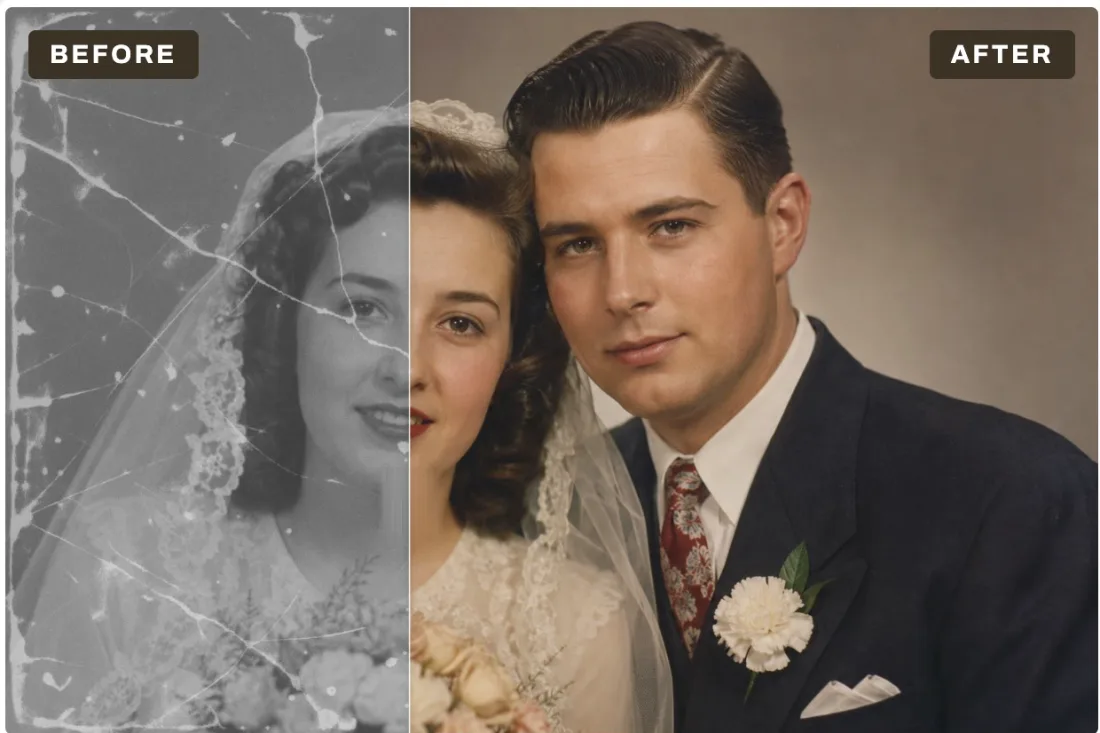
Restore
Repair cracks, tears and scratches
One click finds the damage and fills it in: cracks, tears, creases, dust spots, scratches and stains. It then cleans up grain, so faces come back clear instead of blotchy.
1 free run, then Pro
For Mac and Windows
Restore Old Photos is an AI app for Mac and Windows that repairs cracks, scratches and stains, adds natural color to black and white pictures, and enlarges small scans up to 4x. It runs on your own computer, so your photos are never uploaded.
Free to download · Clean up and 2x Upscale are free forever · No account

On-device AIRuns on your Mac or PC, offline after setup
One clickOpen a photo, pick a tool, drag to compare
No uploadYour photos are never sent to a server
Pay onceLifetime option, no subscription required
Wedding photos, portraits of parents and grandparents, childhood snapshots, school pictures and old prints you scanned or photographed with your phone.
Restore
One click finds the damage and fills it in: cracks, tears, creases, dust spots, scratches and stains. It then cleans up grain, so faces come back clear instead of blotchy.
1 free run, then Pro
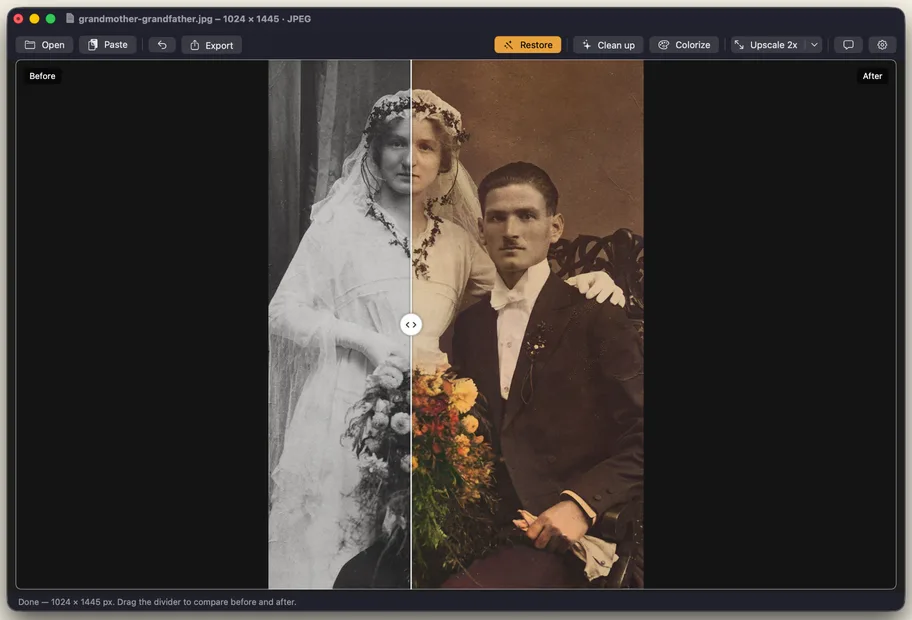
Colorize
Natural skin tones and colors that suit the era, not neon guesswork. Run it on its own, or after Restore has fixed the damage.
1 free run, then Pro
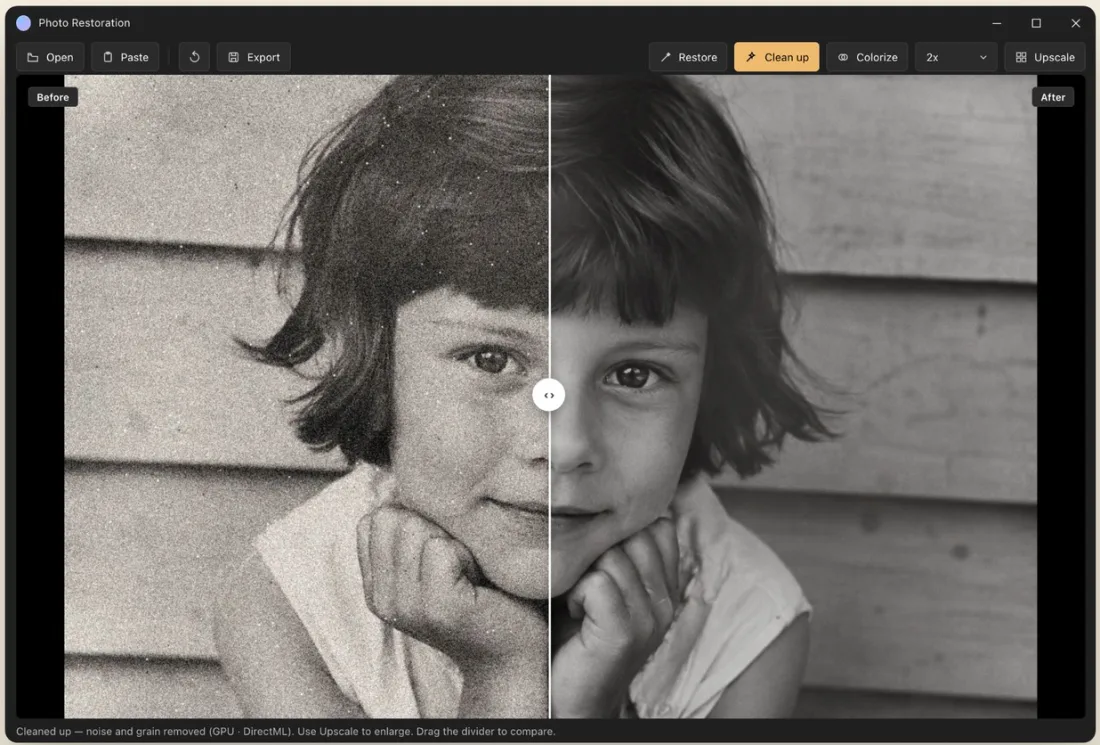
Clean up
Clean up takes out film grain, scanner noise and JPEG compression blocks. Use it on photos that are not torn or scratched, just grainy.
Free forever
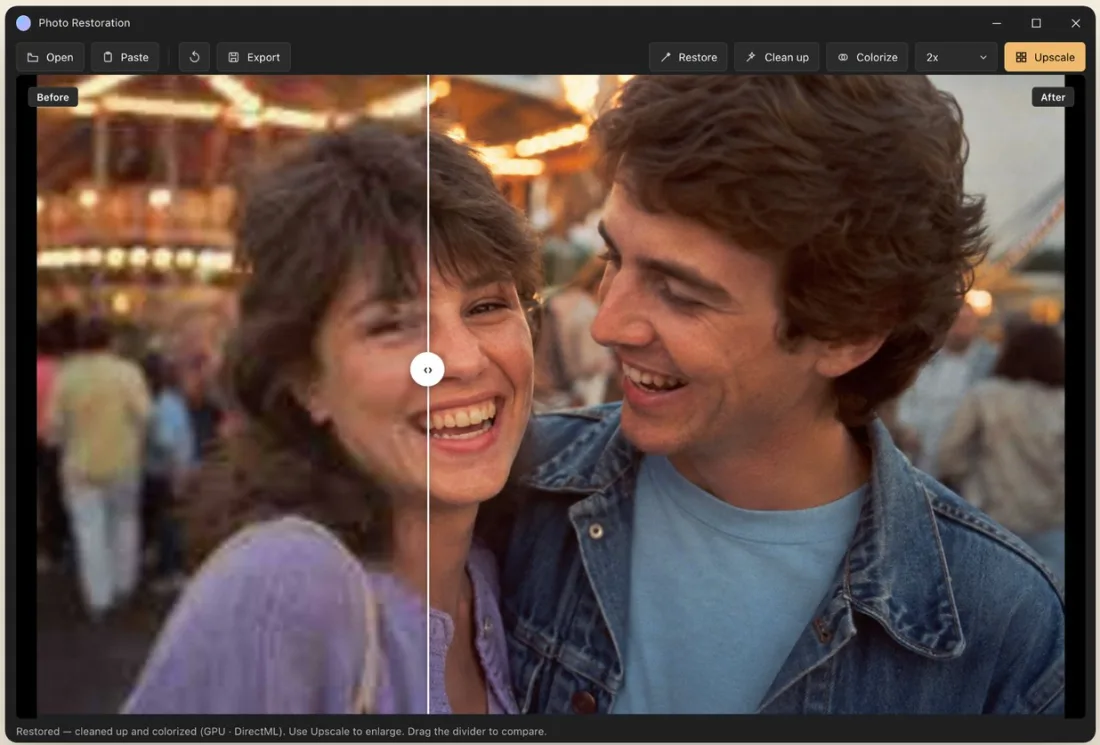
Upscale
Turn a wallet-size print or a low-resolution scan into a sharp photo you can frame or print. Upscale sharpens faces and recovers fine detail as it enlarges.
2x free forever · 4x: 1 free run, then Pro
Most online photo restorers ask you to upload family pictures to their server. Restore Old Photos does all of the work on your own Mac or PC, using Apple's Core ML on Mac and your PC's graphics card on Windows.
You buy Pro inside the app through the Mac App Store or the Microsoft Store, which show the price in your local currency.
macOS 14 Sonoma or later · Windows 10 (1809) or later and Windows 11
Also on iPhone and iPad.
It is free to download. Clean up and Upscale 2x are free forever, with no limit. You also get one free run each of Restore, Colorize and Upscale 4x. To keep using those three, upgrade to Pro inside the app: a one-time Lifetime purchase, or a yearly or monthly subscription. The store shows the price in your local currency.
No. On Mac and Windows every step runs on your own computer. Your photos are never uploaded, stored on a server, viewed by anyone or used to train AI models.
Yes, once the AI models are on your computer. The app downloads each model the first time you use that feature: about 420 MB for Colorize and about 30 MB each for the others. After that it works without an internet connection.
Restore repairs cracks, tears, creases, scratches, dust spots and stains, then cleans up grain. Clean up removes noise, film grain and JPEG compression damage. Upscale sharpens soft, blurry scans and enlarges them 2x or 4x. Missing parts of a photo, such as a torn-off corner, cannot be rebuilt reliably.
Colorize gives natural skin tones and believable colors for clothes, skies and backgrounds. The AI cannot know the real colors of the day, so treat the result as a well-informed guess, not a historical record.
JPEG, PNG, TIFF, BMP, GIF and WebP on both platforms, plus HEIC on Mac. You can also paste a photo from the clipboard or drag it onto the window.
Use a flatbed scanner at 600 dpi if you have one. If you use a phone, take the photo out of its frame or album sleeve, shoot straight on in soft daylight, and avoid glare and shadows. A sharp, evenly lit copy restores much better than a small or blurry one.
On Mac: macOS 14 Sonoma or later. On Windows: Windows 10 version 1809 or later, or Windows 11. Leave about 500 MB of free space for the AI models.
Yes, the same App Store app also runs on iPhone and iPad. On iPhone, Restore runs on our secure server instead of on the device, and Pro is a monthly or yearly subscription with monthly credits. See the privacy policy for details.